Professional County Government Website Design That Connects Residents to Services, Elections, Permits, and Public Records
Custom website strategy, design, and content for California counties that organize dozens of departments around what residents need, meet accessibility standards, and move to a .gov domain without breaking links or search visibility
Two requirements are raising the stakes for California counties. State law (AB 1637) requires cities and counties to use a “.gov” or “.ca.gov” domain for public websites and employee email by January 1, 2029, with redirects for any older domain. And the federal ADA Title II web rule, which adopts WCAG 2.1 Level AA, now has compliance dates of April 26, 2027 for governments serving 50,000 or more people and April 26, 2028 for smaller ones. KO Websites designs county government websites and county website redesigns that treat services-first navigation, accessibility, language access, and domain migration as one coordinated project.
Best County Government Websites: Bay Area and California Examples That Put Services First
California counties have taken very different paths to a better website: some rebuilt from scratch, some moved nearly 100 sites to a new platform in stages, and some focused first on the trust and security benefits of a .gov domain. The ten counties below, six in the Bay Area and four elsewhere in California, each run their own full county website and offer lessons for any county planning its next step.
1. County of Santa Clara (santaclaracounty.gov)
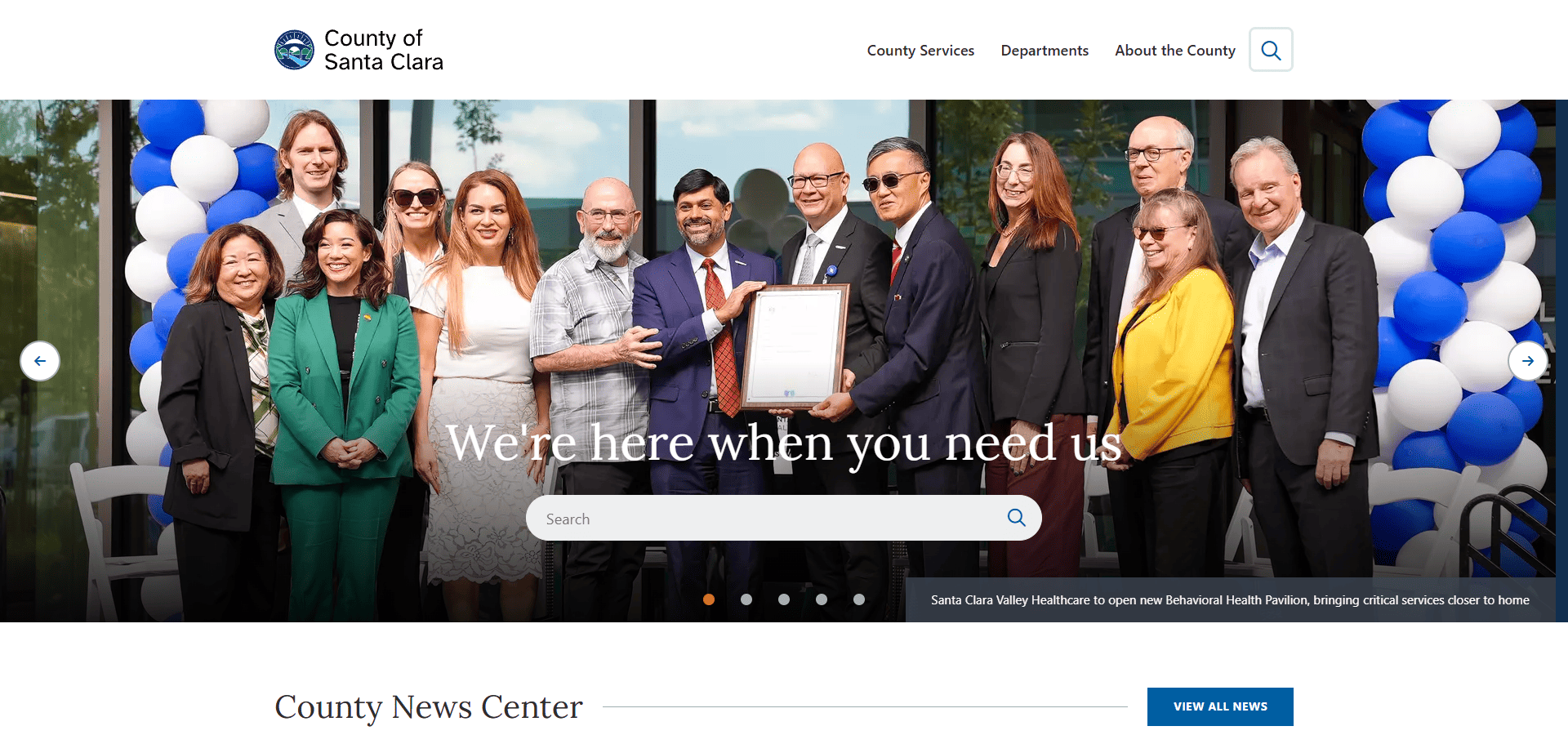
Santa Clara County serves about 1.9 million residents, and its website project shows how to move a very large web portfolio without a single big-bang launch. On September 26, 2023, the county launched the SantaClaraCounty.gov domain, replacing SCCGOV.org, along with seven redesigned sites: the County Home Page, the County News Center, and the sites for the five Supervisors. The remaining public-facing sites, nearly 100 in all, were scheduled to be redesigned and moved in stages, a few at a time each month, with visitors automatically directed to the right domain and a stated goal of having everything on the .gov domain by the end of 2024. The new design uses flexible, modular templates built around a services-focused experience, highlights stories about how county services affect people’s lives, and supports improved accessibility, with language accessibility features planned for the future. Behind the scenes, the sites run on an open-source Drupal platform in a secure cloud environment, a foundation designed for expanded digital services. The county’s web accessibility statement lists what the portal provides, including consistent navigation, a site map, text alternatives for images, a logical tab order, strong color contrast, and a feedback form for accessibility concerns. For large counties with many departmental sites, Santa Clara is the staged-migration blueprint.
2. County of Sonoma (sonomacounty.gov)
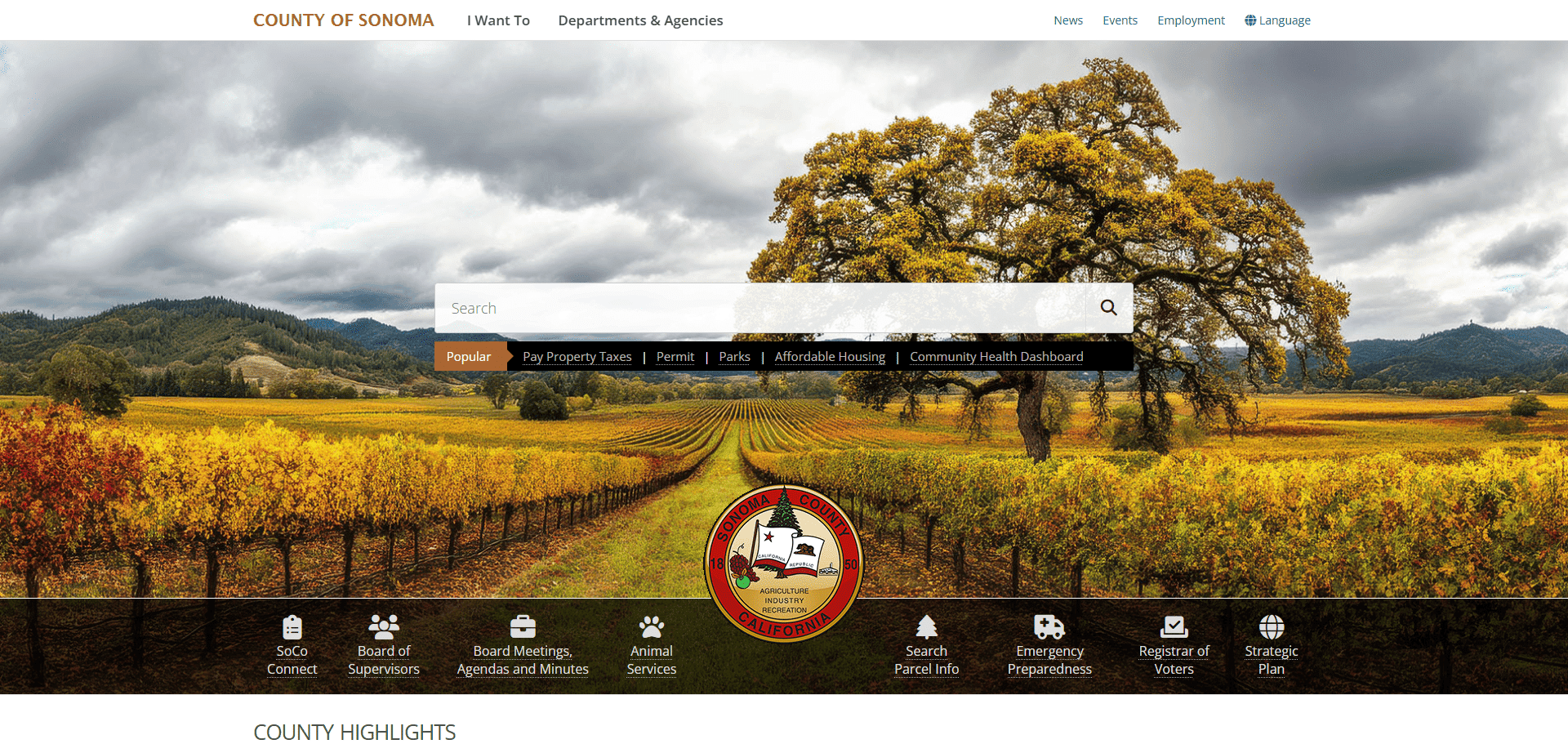
Sonoma County’s homepage is organized around actions. Two main menus, “I Want To” and “Departments & Agencies,” sit at the top of every page, and the I Want To menu groups tasks under plain verbs: Apply for, Attend, Contact, Do business, Get around, Help for, Locate, Look up, Pay for, Register or request, and Report. A “Popular” bar puts the most-used destinations, such as paying property taxes, permits, parks, affordable housing, and a community health dashboard, one click from the homepage, and quick links lead to SoCo Connect for service requests, board meetings and agendas, animal services, parcel search, emergency preparedness, the Registrar of Voters, and the county’s strategic plan. During an election, a prominent banner links to results, ballot reports, and instructions for resolving challenged ballots. The county also uses the homepage to tell service stories, such as its page on support for immigrant communities, with a link in Spanish, and its Open Doors Mobile Services, and it publishes emergency preparedness banners in both English and Spanish. On July 12, 2025, the county moved from sonomacounty.ca.gov to sonomacounty.gov, aligning the web address with a new employee email format. Its accessibility page states that it uses Section 508 and WCAG 2.1 Level AA as guidelines, tests pages with automated tools, and trains content editors on an ongoing basis. For counties that want a task-first homepage built around residents’ verbs, Sonoma is a clear example.
3. County of Marin (marincounty.gov)
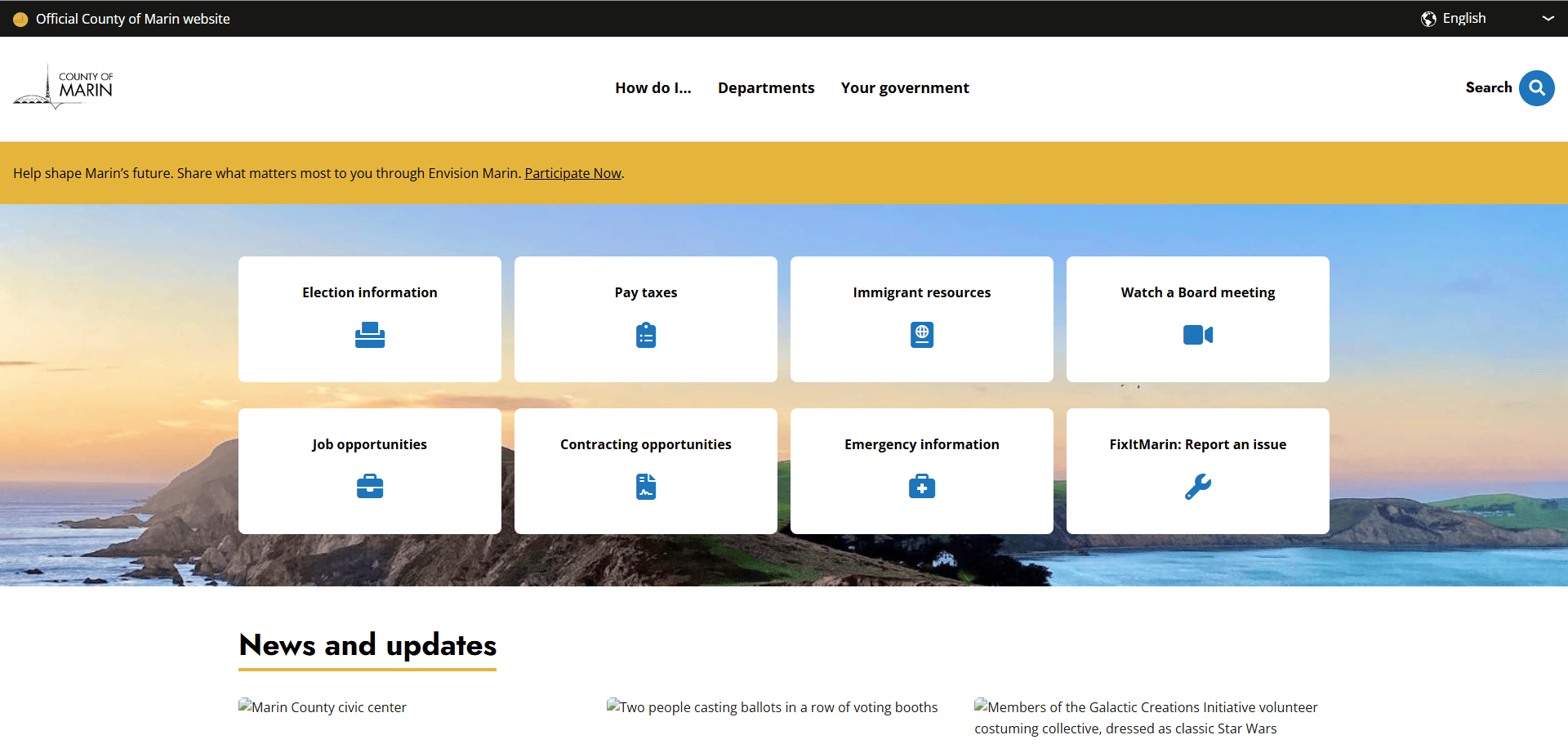
Marin County is the best Bay Area example of doing a website redesign in public. Instead of surprising residents with a finished site, the county published a “Digitally Inspired” project page and a series of regular “done and doing” updates describing exactly what the team had finished and what it would work on next. The project started with user research, gathering feedback from about 400 community members and county staff on design, content, and usability, and used that feedback to write principles that guided the work. The county ran a navigation survey to shape how content is labeled and organized, created a content guide and plain-language training for county employees, trained editors on its new content management system, and requested approval for a .gov domain for the new site. It built the new site in phases: the first release was only a few pages, old and new pages linked to each other, and search stayed disabled until enough content moved over. The new site is mobile responsive and translatable, and the county described accessibility work such as clear fonts, meaningful alternative text, color contrast, and compatibility with screen readers as a continuous process, with a survey at the bottom of each page asking whether visitors found what they were looking for. For counties that want residents and staff to trust the process as much as the product, Marin is a model.
4. County of Alameda (acgov.org and alamedacountyca.gov)
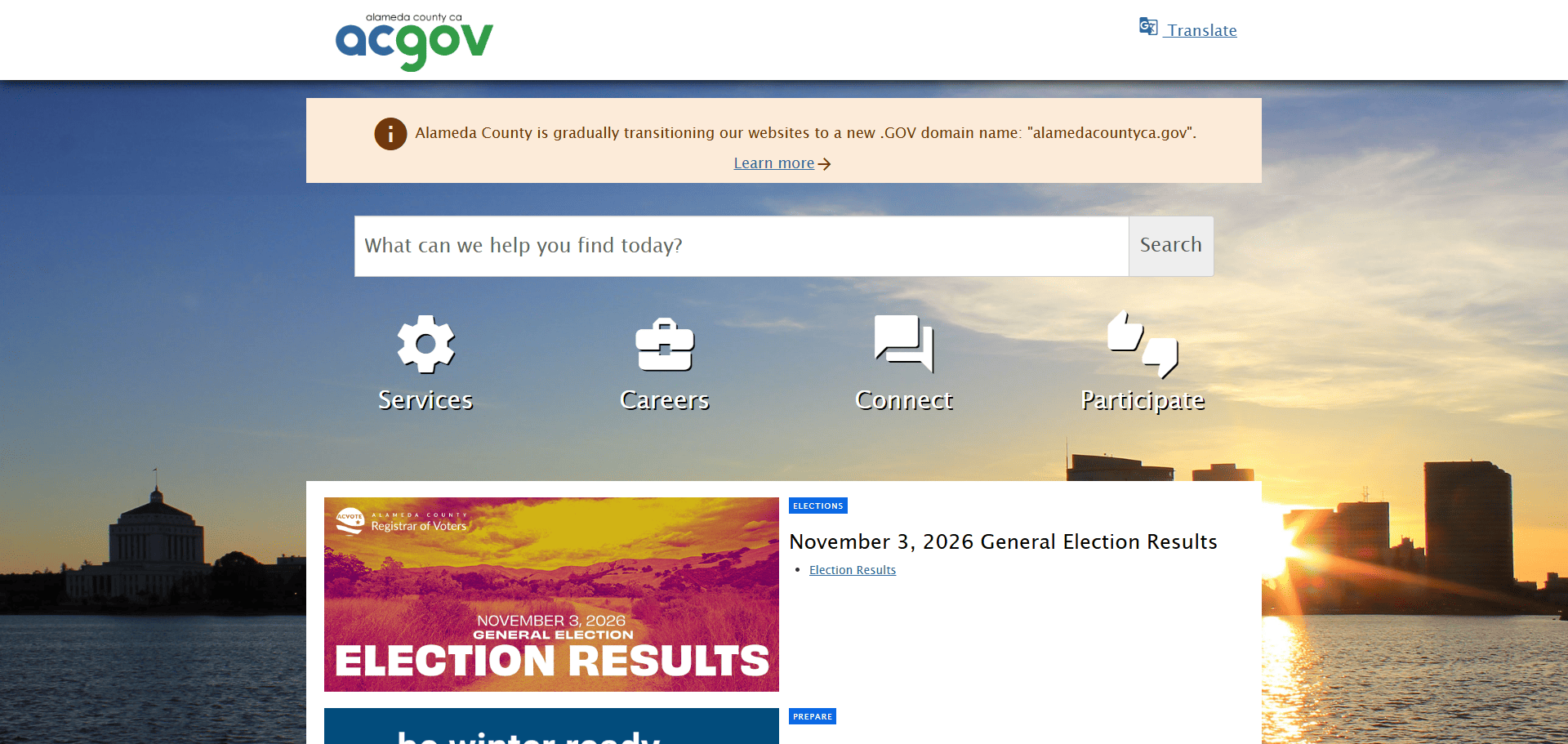
Alameda County is a good example of explaining a domain change clearly to the public. A banner on its pages announces that the county is gradually transitioning its websites to a new .gov domain, alamedacountyca.gov, and links to a dedicated page that answers the questions residents are likely to have. The page explains what .gov is and why the county is moving: trust (especially important for election results), authority and search visibility, easy identification as an official source, credibility, and the legal requirement under AB 1637 to use a .gov domain by January 1, 2029. It states plainly that, during the transition, residents will see official Alameda County websites on both domains, that the first .gov website has already launched, and that employee email addresses will move as well. The rest of the site offers practical access features: a translate button with a clear disclaimer that translations are automated approximations from a third-party service, a language access section, emergency information, an email subscription service for updates, and a site map and website guidelines in the footer. For counties managing a long, multi-site domain transition, Alameda shows how to keep the public informed along the way.
5. County of Contra Costa (contracosta.ca.gov)
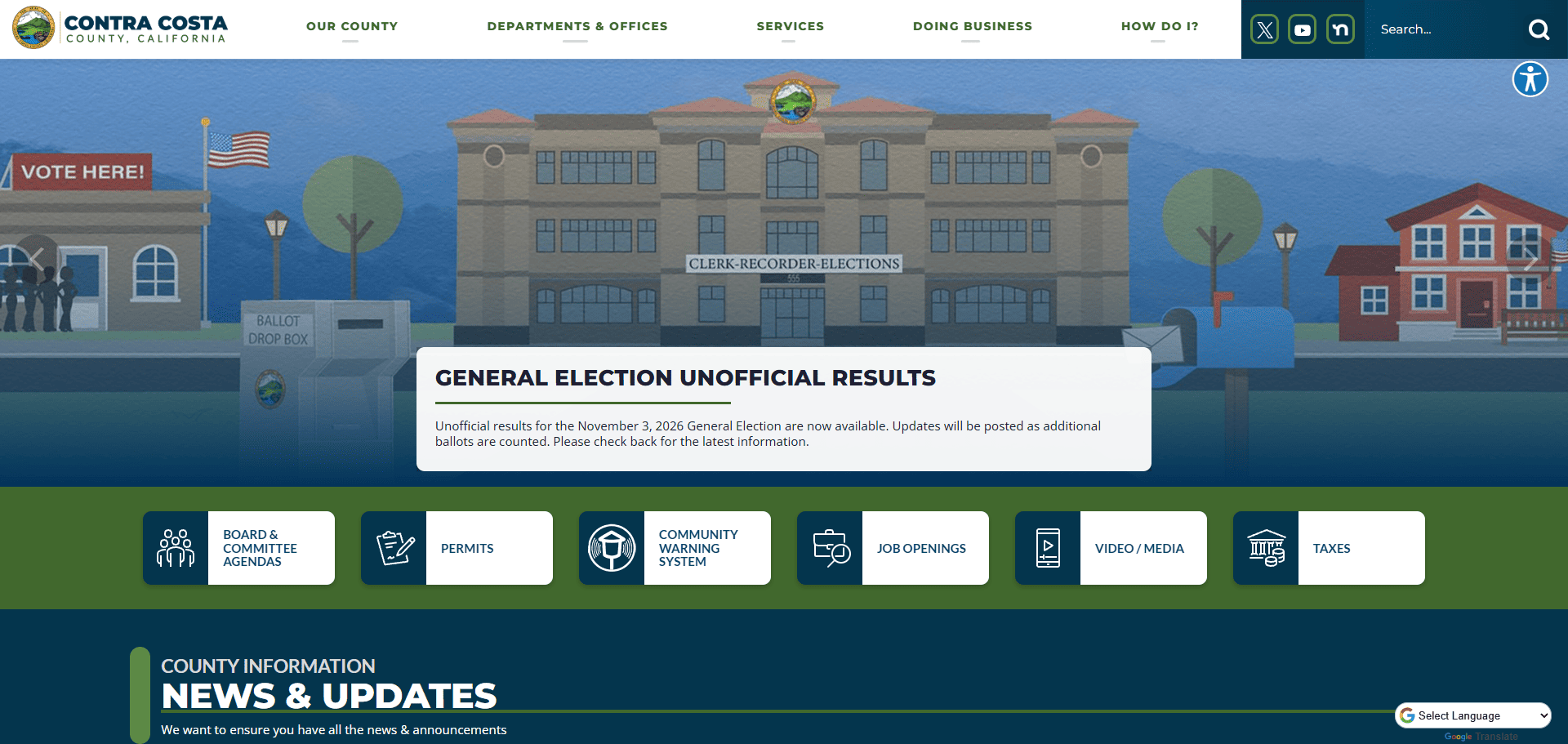
Contra Costa County described its website as a “virtual office” for the public, and the design follows that idea. A search bar appears on every page, clickable icons lead to the county’s most requested services, and a “How Do I?” option in the main menu takes visitors to frequently asked topics. The site highlights news items and gives permits and taxes their own dedicated portals, a Permit Portal and a Tax Portal, so the most transaction-heavy tasks are easy to find. Menu topics call out services, county jobs, meeting agendas, safety and emergency information, and an Open Government section. The Board of Supervisors has its own portal with icons and menus, including a “Find My Supervisor” tool where residents enter their address and a map identifies their supervisor, and popular sections like Animal Services offer online options. The county explained that it built the site for mobile phones with a more visual design and information organized around the end user, with a goal of reducing the number of clicks needed. The county also uses a .ca.gov domain, which already meets the state’s domain requirement. For counties that want the site to feel like a front counter, Contra Costa is a useful model.
6. County of San Mateo (smcgov.org)
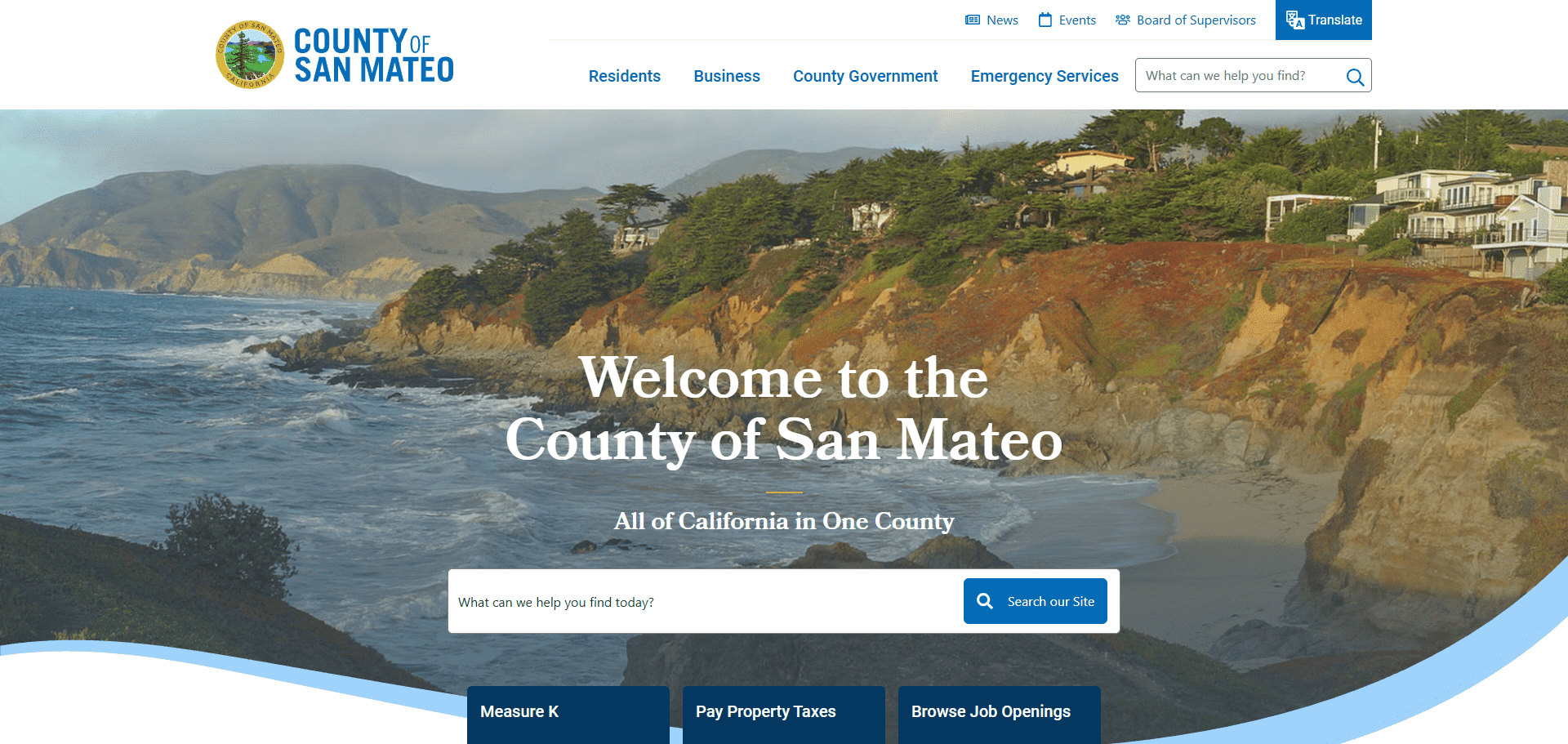
San Mateo County takes a service-directory approach. Its Services page is an alphabetical list of tasks written the way residents think, from pet licenses, potholes, and noise complaints to permits, property taxes, public records, marriage licenses, and open RFPs, and a “Services Near Me” tool called SMC Connect helps residents find help nearby. The main menu groups items into actions like Pay, Apply, and For Seniors or For Youth, and a long departments list connects residents to the county’s two dozen or so departments, plus open data, GIS maps, and a public Wi-Fi program. Several county sites include a Google-powered translation feature. San Mateo is also an early example of moving individual departments to the .gov domain in a careful, public way. In October 2023, the Assessor-County Clerk-Recorder and Elections department moved to smcacre.gov and its election site to smcvote.gov, redirected the old web addresses, and forwarded email from the old domain. Its election pages include Spanish, Chinese, and Filipino sections, ballot tracking, and online appointment booking with walk-ins welcome. The county has since issued a request for proposals to migrate all county-owned domains, subdomains, email addresses, DNS records, and authentication services from smcgov.org to .gov before the January 1, 2029 deadline, a reminder that a domain change is larger than a website redesign. For counties with many departments and a long list of tasks, San Mateo is a strong reference.
7. County of Santa Cruz (santacruzcountyca.gov)
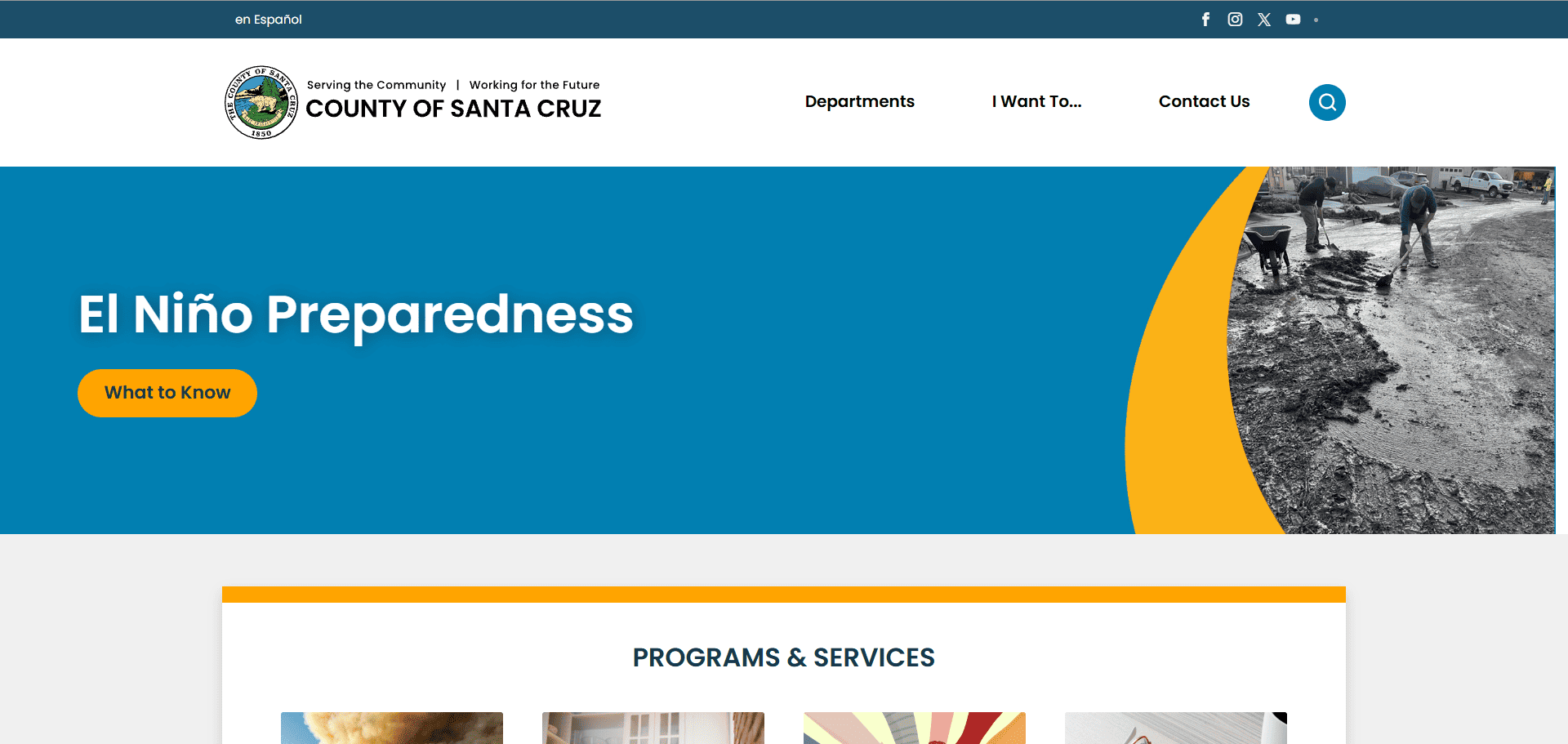
Santa Cruz County, on the southern edge of the Bay Area region, moved from santacruzcounty.us to santacruzcountyca.gov on September 1, 2023, and published a short, plain-language explanation of the change. The page covered why the county was moving (trust and authenticity, plus security features such as multi-factor authentication and preloaded secure connections), what to expect (new employee email addresses and updated bookmarks), and a reassurance that the quality and scope of services would stay the same. The site itself is built around an “I Want To…” menu that groups dozens of tasks into six categories: Government, Health and Human Services, Parks and Environment, Community Infrastructure, Public Safety, and Animals. Residents can look up their supervisor, pay property taxes, file a public records request, find an evacuation zone, report illegal dumping, or reserve a park facility from one place. A department directory links each department to its own focused site, and an “en Español” option sits at the top of the page. The county has also refreshed individual department sites, such as the Community Development and Infrastructure site relaunched in 2024, which brings Public Works, Planning, and a new Unified Permit Center together in one place, and its operational plan lists a website redesign as a transparency objective. For counties that want a clear task menu and a well-explained domain change, Santa Cruz is a solid example.
8. County of Yolo (yolocounty.gov)
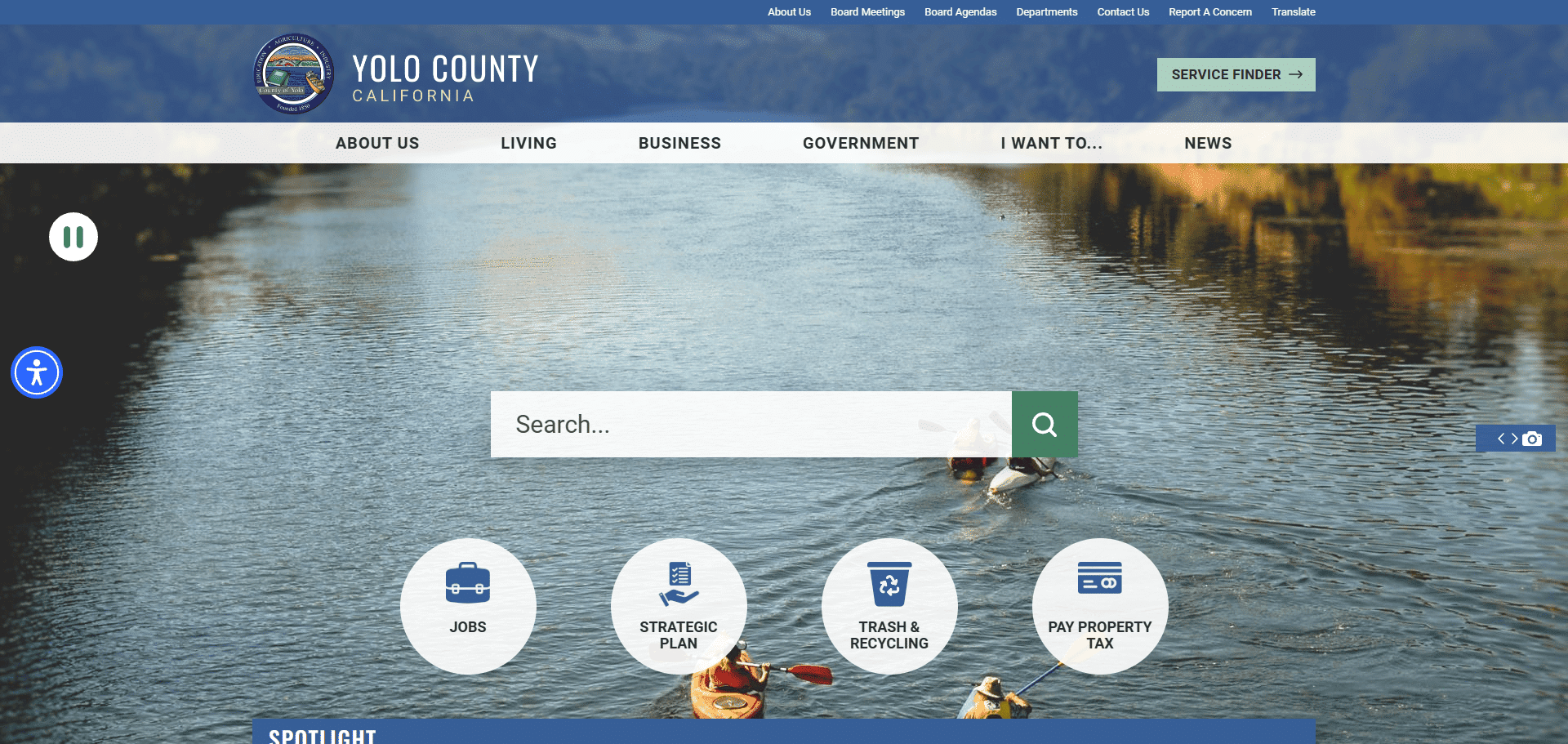
Yolo County shows what a data-driven redesign can look like at a mid-size county’s budget. When it revamped its website in January 2020, the county used website analytics and heatmapping to find its most popular content and services and built the new design around them. The homepage added an accessibility tool on every page that lets visitors increase contrast, cursor size, and text size and spacing, and highlight links; a Service Finder that lets residents filter to the best option for their needs; a larger search bar in the middle of the page; and an “I Want To” tab linking to popular pages and services. The new site also used larger fonts and better mobile optimization, kept existing forms available, and preserved bookmarks to frequently visited pages. The county reported that its website averaged about 560,000 views a month and that it spent $12,100 on the revamp, after a credit from its website host, with a redesign committee drawn from eight departments. In 2024, Yolo County also moved its web pages and email accounts from .org to .gov, redirecting old addresses automatically, and its chief technology officer explained that the move gives the public further assurance that information is official. For counties that want a practical, measurable approach, Yolo is a useful reference.
9. County of San Diego (sandiegocounty.gov)
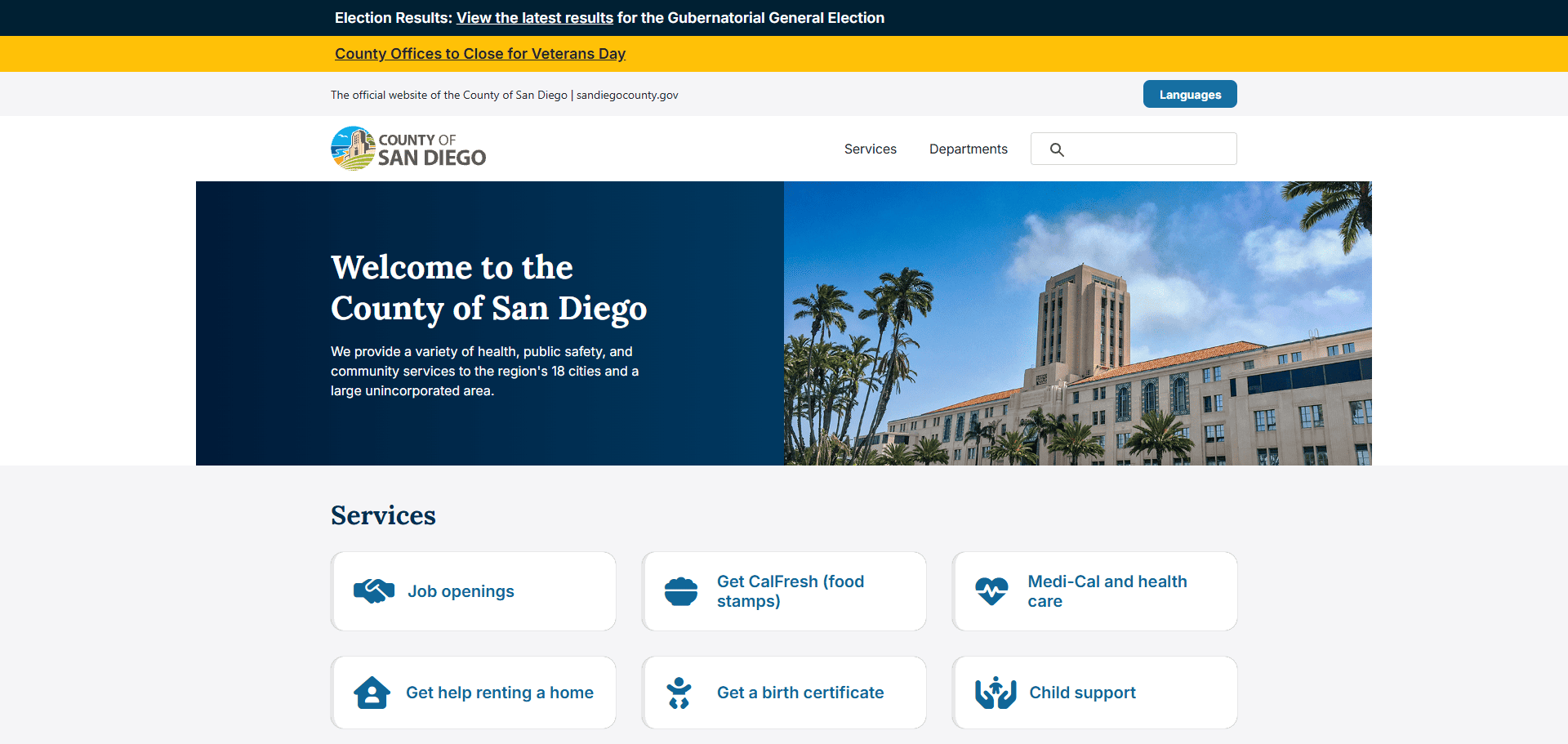
San Diego County is in the middle of a phased move to a new website, and it has published its design principles on a plain-language page titled “About the new County website.” The county says residents should not need to know which department provides a service, so the services people seek most are the most prominent items on the homepage and individual pages focus on the service, not the department. Other stated goals include a very simple page design that works on any device and with a weak internet connection, plain-language writing required for general-audience pages, and easier translations, with the languages spoken most in the county placed at the top of the language selector and improved display for right-to-left languages. The county also says it tested its pages with assistive technology and is organizing page data to work better with search engines and AI tools. The site is available in Arabic, Traditional Chinese, Filipino, Korean, Persian, Somali, Spanish, and Vietnamese, and every new page includes a “Was this page helpful?” form for feedback. The footer links to website accessibility, security and privacy policies, and language access pages. For large counties that want a services-first structure and a public design philosophy, San Diego is a current and clear example.
10. County of Ventura (venturacounty.gov)
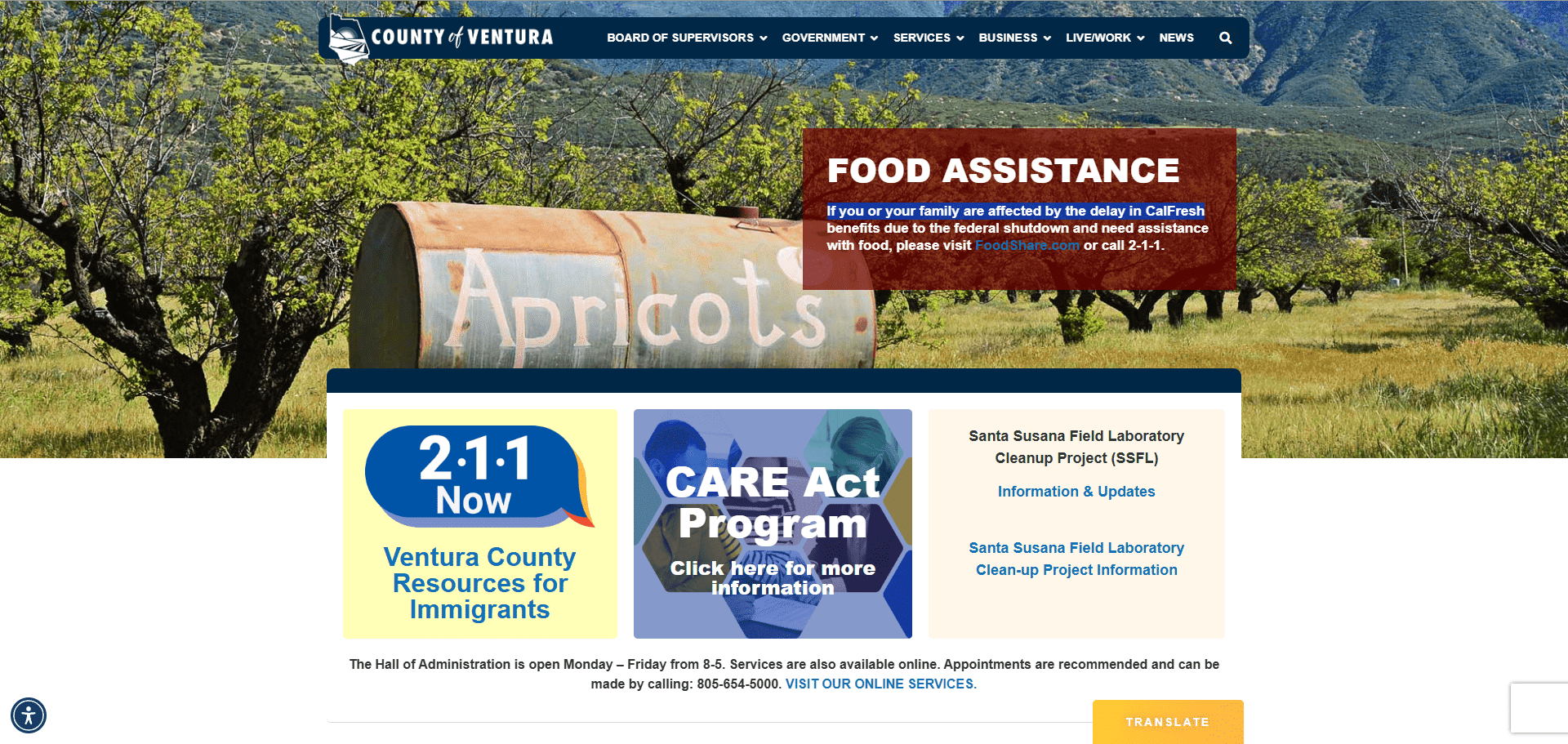
Ventura County began migrating its county websites from ventura.org to venturacounty.gov and announced the change to the public as a gradual, carefully planned transition designed to minimize disruption. The county explained that residents visiting the old address would be automatically redirected to the new one once the official web address transition is complete, and that adopting the new domain in email communications makes it easier for residents to verify legitimate messages from county officials. A county news site also moved to a matching news.venturacounty.gov address with an announcement asking visitors to update their bookmarks. The approach shows how a domain change can be done one site at a time, with each department site following the same pattern: a new address, an automatic redirect, and a short notice asking residents to update their saved links. For counties planning a multi-site .gov migration, Ventura is a practical, step-by-step example.
Whether a county is replacing a platform, consolidating dozens of department sites, explaining a .gov transition, or simply making its services easier to find, the counties above succeed because they start with what residents are trying to do. If your county or public agency serves the Bay Area or California, KO Websites can help you plan and build a website that is accessible, easy to use, and ready for the 2027 and 2029 deadlines. Contact us today for a free consultation.
What Sets Our County Government Website Design Apart
Services-First Navigation Across Dozens of Departments
Residents should not need to know which department provides a service. We organize navigation around tasks and audiences, build “I want to” menus and service finders, and design search that returns the right page, then use analytics and feedback to keep improving. Our web design process starts with what residents are trying to do.
Accessibility and Plain Language Built In
The ADA Title II web rule requires WCAG 2.1 Level AA for state and local government websites and mobile apps. We design templates, forms, and documents for accessibility from the start, test with assistive technologies, and train department editors to write plain-language content that stays accessible as the site grows.
Language Access, Including Spanish
Counties deliver health, social, and election services to residents who speak many languages. We help you decide which pages to translate first, write Spanish-language content that reads naturally, and design language selectors that make the most-needed languages easy to reach.
.gov Migration Across Your Whole Web Portfolio
A county’s domain change covers more than one site: department sites, subdomains, email, and identity systems all have to move before January 1, 2029. We inventory your sites, plan the order of migration, map redirects, protect search visibility, and help you communicate the change. See how we approach government and agency web design across California.
Complete County Government Website Package
Service Finder and “I Want To” Navigation
Task-based menus, A–Z service directories, location-based tools, and prominent search that help residents find what they need without knowing the org chart.
Department Sites on a Shared Design System
Consistent templates for departments, boards, and specialty sites, such as health, elections, parks, libraries, and planning, so the whole county feels like one organization.
Elections, Permits, Taxes, and Records
Clear paths to ballot tracking and results, permit and tax portals, public records requests, and meeting agendas, with content that explains each step in plain language. These connect to your ongoing website management so information stays current.
Emergency and Public Information Pages
Prepared templates for evacuation, storm, wildfire, and public health updates in English and Spanish, designed to be published quickly when residents need them most.
Specialized County Government Digital Solutions
County Website Strategy and Redesign
Research, information architecture, content audits, design, and implementation for your county’s main website, informed by surveys, analytics, and testing with residents and staff.
Department Site Consolidation and Design Systems
Inventory of existing department sites, a shared design system, and a plan to consolidate, redesign, and migrate sites in stages without overwhelming your team.
Accessibility Audits and Remediation
WCAG 2.1 AA audits of pages, templates, forms, and documents, with prioritized remediation plans and staff training to help your county prepare for the ADA Title II deadlines.
.gov and .ca.gov Domain Migration Planning
Discovery, migration sequencing, redirect strategy, search console and analytics updates, and public communications for the AB 1637 domain requirement.
Plain-Language and Spanish Content
Content inventories, trimming of outdated pages, plain-language rewrites, Spanish-language pages, and writing workshops that help department editors publish clear, consistent content.
Public Portals, Dashboards, and Data Pages
Design and content for permit and tax portals, open data pages, community dashboards, and service request tools so residents can complete tasks and see results.
Training, Governance, and Ongoing Management
Editor training, web governance guidelines, analytics reviews, and ongoing updates so your county’s site keeps improving after launch. Ready to see how this works in practice? Explore our portfolio.
Serving Bay Area and California Counties and Public Agencies
Every county has its own residents, languages, and priorities, from dense urban neighborhoods to agricultural valleys and coastal communities. We work with counties, departments, and public agencies across San Francisco, Oakland, San Jose, and Silicon Valley, as well as San Leandro, Castro Valley, Pleasanton, Livermore, and San Ramon. We shape content and design to match your community.
Beyond Web Design: Complete Digital Communication
A strong county website works best when it is supported by consistent outreach. Our SEO strategies help residents find services, elections information, and permits through search, which matters even more during a domain change. Local search optimization keeps county offices, clinics, libraries, and park facilities accurate across Google Maps and directories. Social media marketing supports announcements, elections information, and emergency updates, while video production creates how-to guides, service explainers, and community stories. Ongoing website management and hosting keeps your site secure, updated, and reliable.
Your Questions About County Government Web Design Answered
Does AB 1637 apply to counties?
Yes. AB 1637 requires California cities and counties to use a “.gov” or “.ca.gov” domain for public websites and employee email addresses by January 1, 2029, and to redirect any older domain that remains in use. Local agencies are eligible for .gov domains at no fee. We help plan the migration across all of a county’s sites, but your county counsel and IT team should confirm the details for your situation.
When must county websites meet the ADA web accessibility rule?
Under the Department of Justice’s ADA Title II rule, which adopts WCAG 2.1 Level AA, the compliance date is April 26, 2027 for public entities serving 50,000 or more people and April 26, 2028 for smaller entities and special districts. Title II obligations to provide equal access already apply today. We can audit your sites, prioritize fixes, and train your staff, but your county counsel should confirm your specific legal obligations.
Can you work with our existing CMS and department sites?
Yes. Many counties run on a vendor-provided or open-source platform, and we can work within the platform your county has selected or help you evaluate options. We focus on information architecture, content, accessibility, design systems, domain migration planning, and training, which are where residents notice the difference.
We have dozens of department websites. Where do we start?
We start with an inventory of your sites, domains, platforms, owners, and traffic, then recommend a sequence, such as launching the county homepage and highest-traffic departments first and moving the rest in stages, as large counties like Santa Clara have done. A staged plan keeps residents oriented and protects your team’s capacity.
How do you handle procurement and RFPs?
We can help your county define requirements, write accessibility and content criteria, evaluate proposals, and plan the project, and we can respond to qualified requests for proposals. Your county’s purchasing rules will determine how projects are awarded.
Can you create Spanish-language and multilingual content?
Yes. We write and review Spanish-language pages so they read naturally for your community, and we help you decide which services, such as health, benefits, and elections, to prioritize for translation. As a Spanish-speaking team, we understand how residents search for county services in Spanish.
What ongoing support do you provide after launch?
We provide hosting, security updates, backups, analytics reviews, and editor training so your site keeps improving. See what our clients say in our testimonials section.
Build a County Website That Residents Trust and Can Actually Use
Your residents are trying to check a ballot, pay a tax bill, find a clinic, or request a record, often on a phone and sometimes in a second language. A well-planned county website makes those tasks simple, supports every resident, and prepares your county for the 2027 and 2029 deadlines. KO Websites helps California counties do exactly that.